15+ views, 24 column types, RAID, baselines, forecasting, documents and reports, all in one Windows app that runs on your own network.
 ModoPM — Riverside Offices Fit-out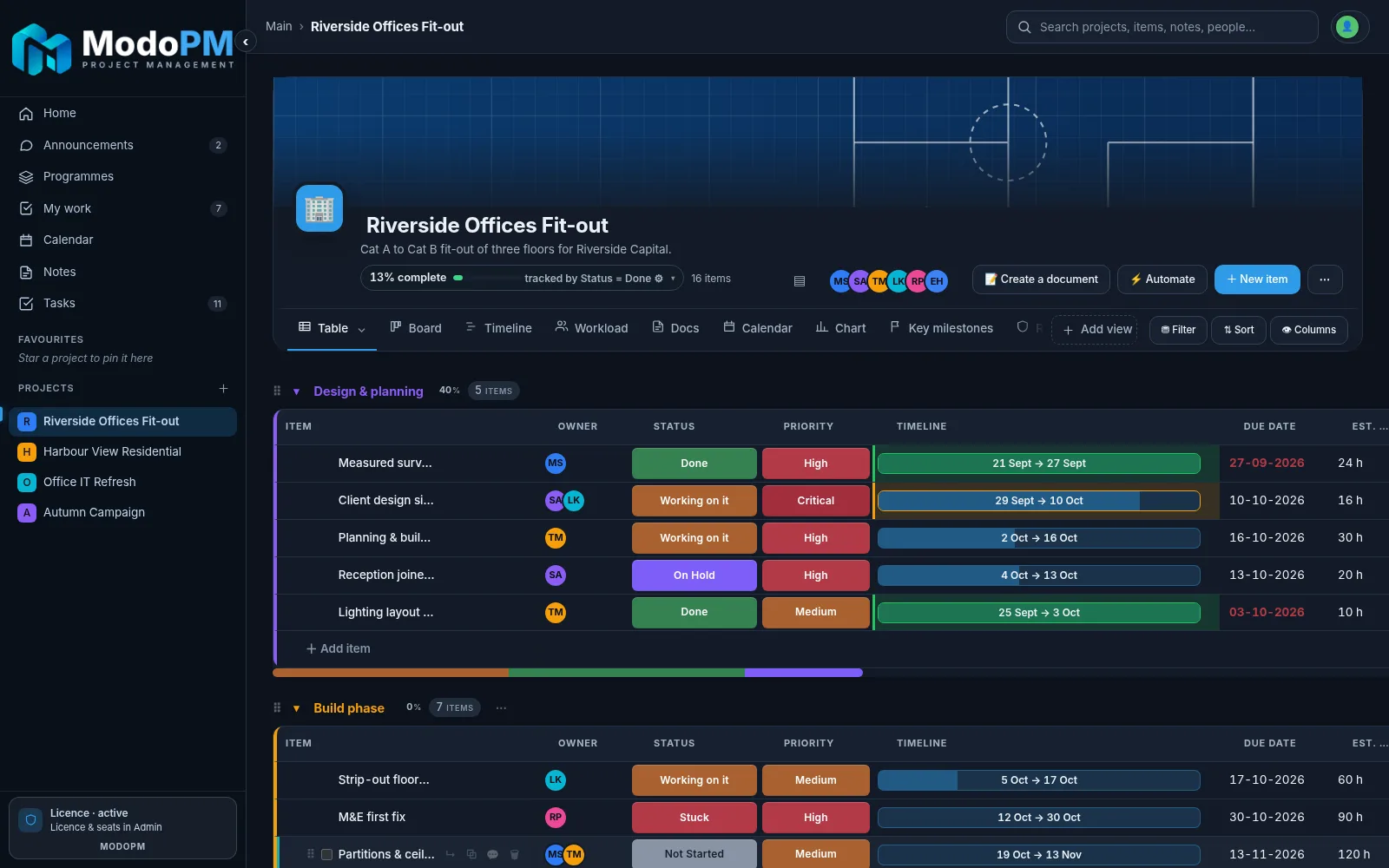
Group work into phases, set owners, dates, priorities and estimates, and add the columns your work actually needs.
ModoPM — Table view24 column typesStatus, people, dates, numbers, labels, progress, links, ratings, checkboxes and more.
Groups and subitemsOrganise work by phase, stage or workstream. Collapse what you don’t need.
Progress trackingChoose which status column counts as complete; the project % updates itself.
Right-click everythingRename, duplicate, move, sort and recolour straight from the grid.
Custom labelsRename and recolour labels per column to match how your company talks.
Unlimited projects and itemsNo caps on licensed copies. Big plans stay fast.
Day, week and month zoom, a today line, critical path, auto-schedule, milestones and plan-vs-actual baselines.
ModoPM — Timeline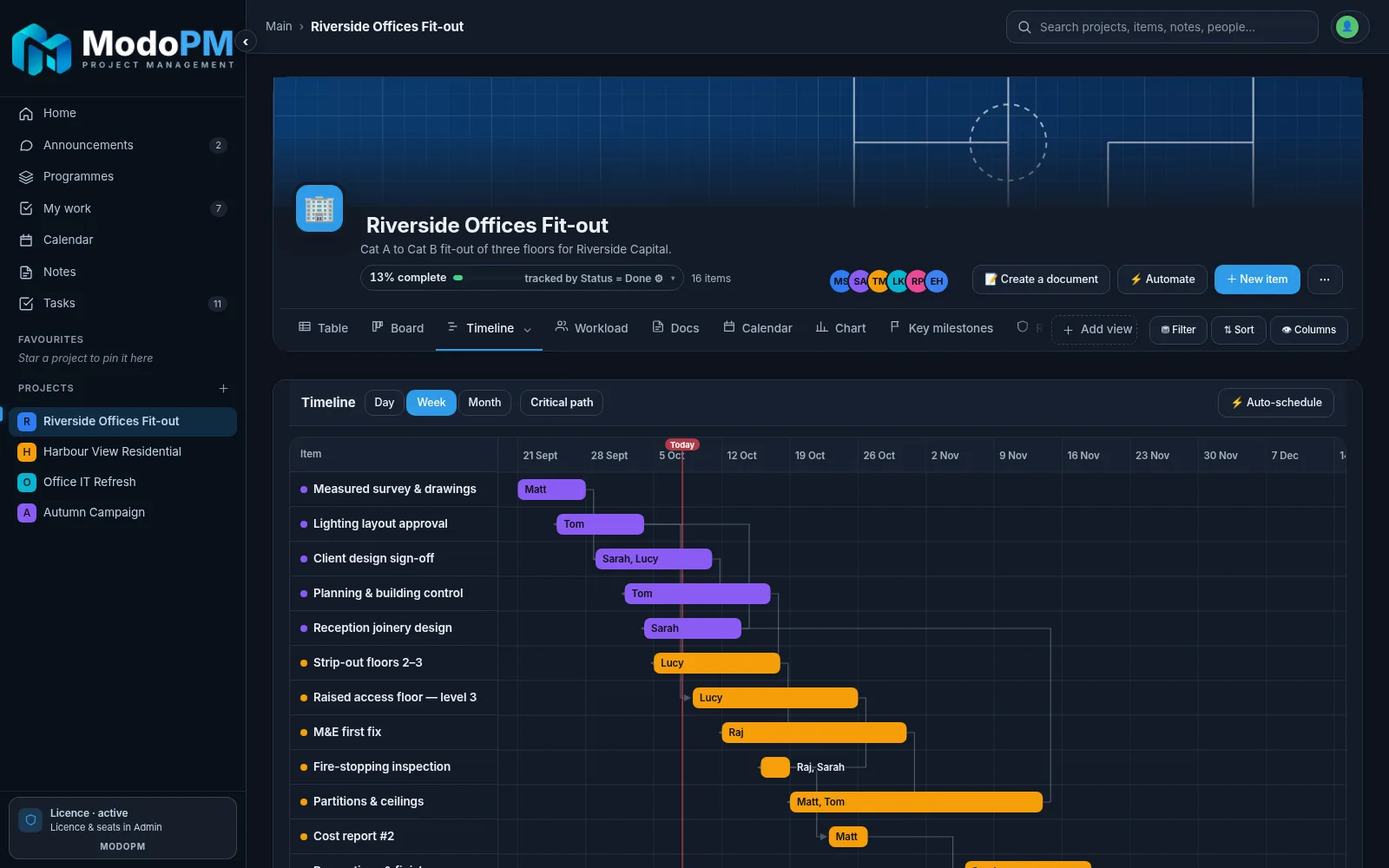
Critical path and auto-scheduleSee which items drive the finish date and reflow the plan in one click.
Key milestonesThe dates that matter, with days-to-go and lateness at a glance.
BaselinesCapture as many snapshots as you like and compare any two, item by item.
Calendar viewEvery due date and task across all projects, in one month view.
Status-linked datesDates turn green when done and red when late, automatically.
MS Project exportHand a plan to a client who still lives in Project.
Kanban boards with WIP limits for the team, plus personal tasks, colour notes and reminders for you.
ModoPM — Board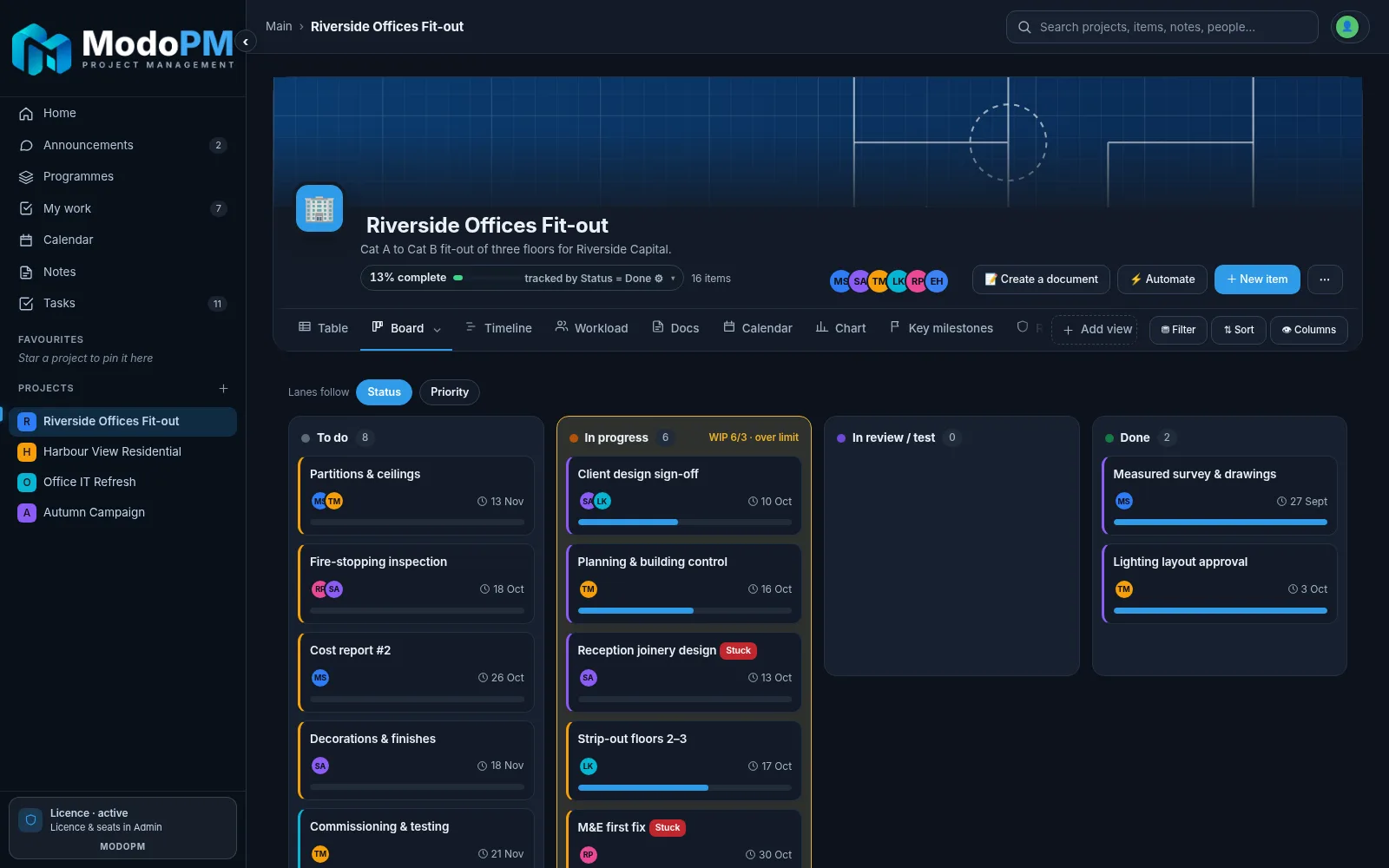
Kanban with WIP limitsLanes turn amber when a column is overloaded.
TasksSend a task to a colleague or yourself, link it to an item and track updates.
Notes with remindersColour sticky notes, tag them to projects and items, and get reminded.
Team chat (Enterprise)Group and direct messages with @mentions, #project tags and reactions.
Announcements (Enterprise)Company news, events and template changes with read receipts.
Updates on every itemA threaded history of who said what, kept with the work.
A real RAID log with impact × likelihood scoring, owners, review dates and an update trail that auditors love.
ModoPM — RAID log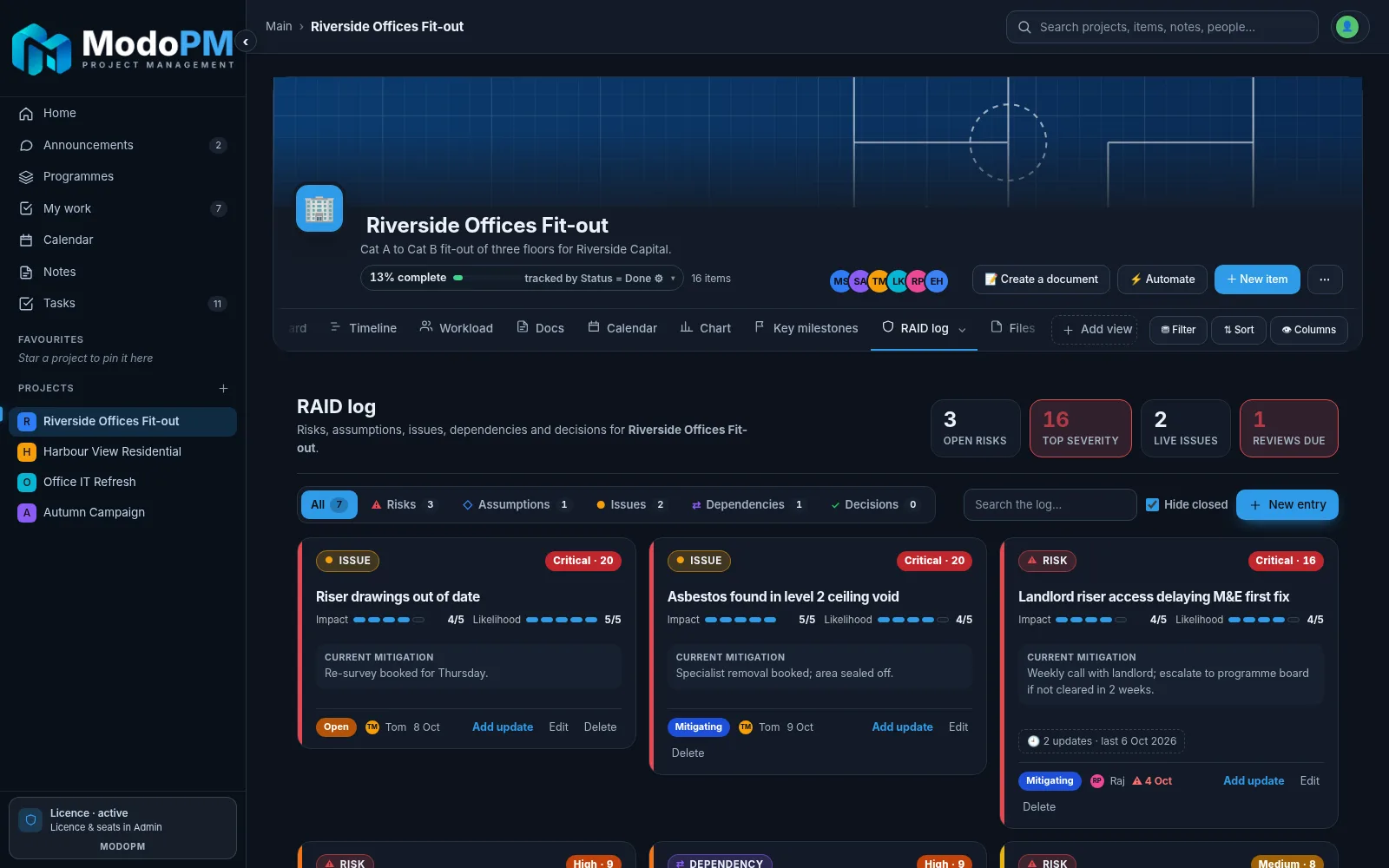
Scored RAID logRisks, assumptions, issues, dependencies and decisions with severity bands.
Mitigation historyUpdates are added, never overwritten, so the story stays readable.
Automations“When an item is stuck for 2 days, message the assignee.” Set and forget.
Activity logEvery change on a project, who made it and when.
Programme risksRoll key risks up to programme level for the board.
Review remindersOverdue reviews are flagged on the dashboard.
Live dashboards, charts and a document writer built into every project, with polished PDF and Word export.
ModoPM — Chart view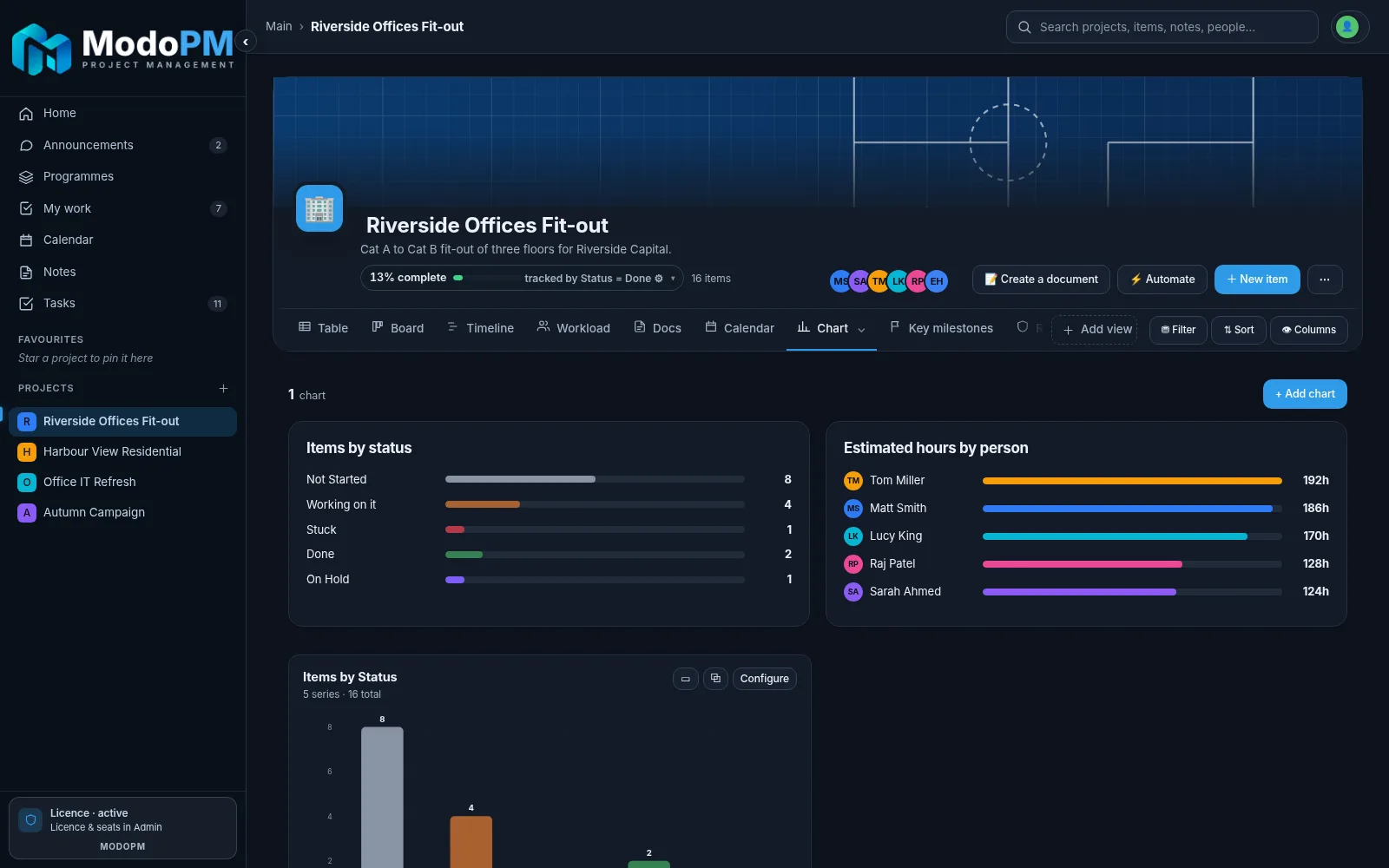
DashboardsStatus mix, hours by person and what’s next, per project and across the portfolio.
PDF reportsExecutive summary, task register, timeline, RAID and more, with cover and contents pages.
Document writerPIDs, minutes and reports from company templates, saved with the project.
Client share linksA read-only link for clients. You pick which columns they see.
CSV and .modopm exportTake your data anywhere. Nothing is locked in.
Print anythingEvery view prints cleanly for site meetings.
Programmes with RAG status and budgets, a roadmap across projects, workload by person and a month-by-month resource forecast.
ModoPM — Resource forecast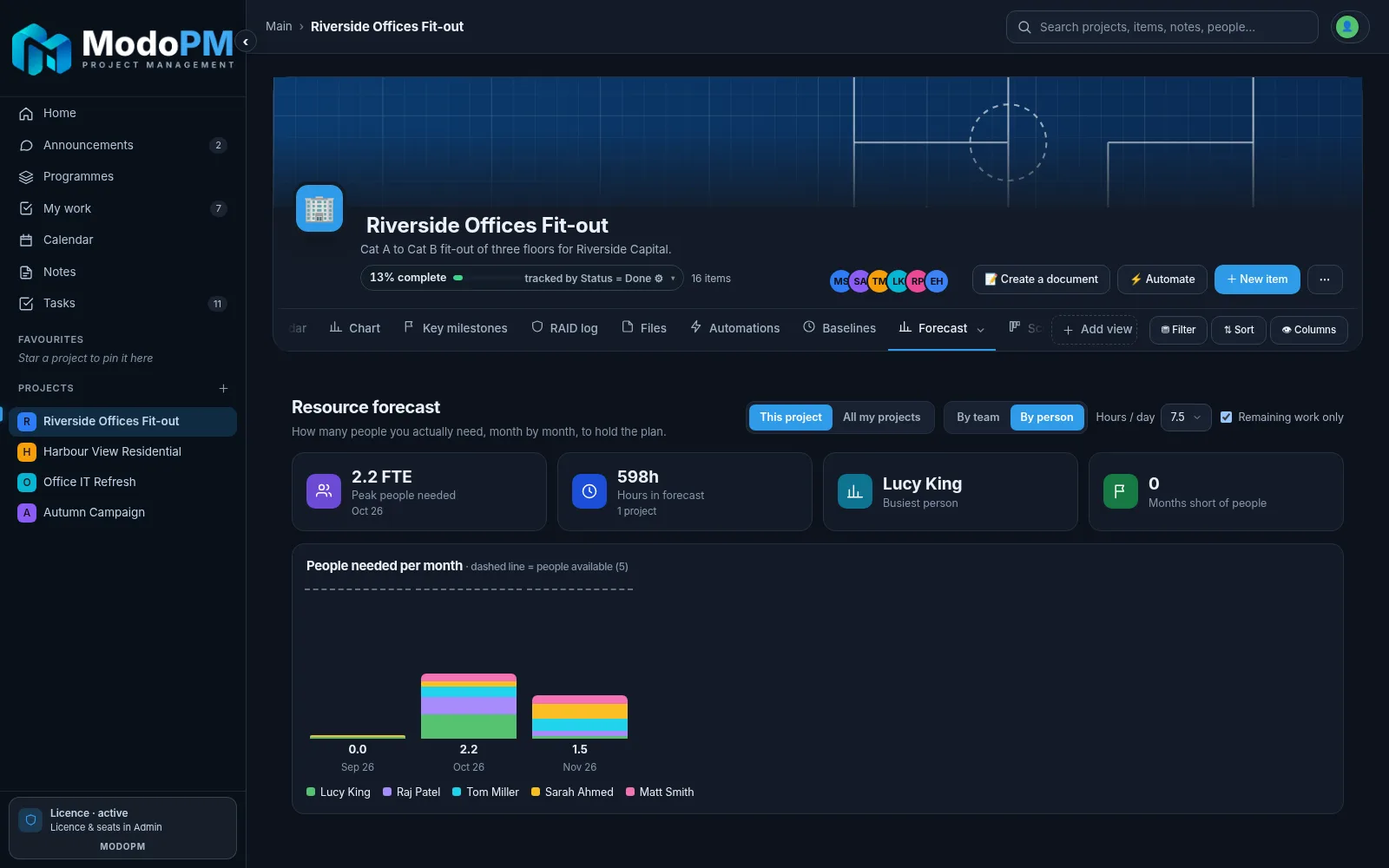
ProgrammesGroup projects with an owner, goal, budget, RAG status and roadmap.
Resource forecastPeople needed per team per month, with shortfalls in red.
WorkloadHours against capacity for everyone on a project.
Portfolio roll-upsProgress and budget across every programme.
Archive and restoreKeep the list tidy without losing history.
Favourites and spacesOrganise work by department, client or region.
Add, rename and reorder views per project. Your data is kept when you switch.
Grouped items and 24 column types
Kanban with WIP limits
Gantt with critical path
Capacity per person
Templates and writer
Due dates by month
Status and hours
The dates that matter
Scored risk register
Attachments per project
Rules per project
Plan vs plan
People needed per month
Sprints and burndown
KPIs at a glance
Read-only client link
ModoPM Enterprise adds a full admin console on your own server.
Users, roles and permissionsOwner, editor, viewer or no access, per project.
MFA sign-inAuthenticator codes for every user.
Seats and devicesSee every computer, rename it or wipe it remotely.
Branding and templatesYour logo, your company templates for everyone.
Retention and erasurePurge deleted data and erase a person on request.
Encrypted backupsScheduled, kept and restored on your terms.
Try ModoPM Freelance free for 7 days — no card, no account, no cloud, every feature switched on. Rolling ModoPM out across an organisation? Talk to our sales team for a guided conversation and demo.
Windows 10 & 11 · Installs in under a minute · No account needed
Real, uncropped screenshots of the ModoPM desktop app — sidebar expanded, nothing hidden. Click any picture to see it full size.